Spin the alphabet
Letter Wheel
Where will it stop?
A big, colourful alphabet wheel for class screens, games and quick picks. Spin it, watch it slow down, and play with the letter it lands on.
Spin the wheel. Play with the letter it lands on.
Ready for your next pick?
- Your own letters
- Nine alphabets
- No repeats until all are used
- Full screen for class
- Free, no sign-up
01 / The basics
What is a letter wheel?
A letter wheel is a spinner divided into letters that turns and stops on one of them by chance. People also call it a letter spinner, an alphabet spinner or a wheel of letters.
This random letter wheel starts with all 26 letters from A to Z. You can swap in another alphabet, a few letters of your own, or take letters off before you spin.
02 / Pick the right tool
Letter wheel or random letter generator: which should I use?
Use the letter wheel when one letter deserves a moment: a class or a group watching the spin before each round. Use the random letter generator when you need several letters at once, up to 100 in a row or a grid.
Letter wheel
One letter per spin, with a spin everyone can watch. Best in full screen on a class board, and with No repeats each letter leaves the wheel.
Random letter generator
1 to 100 letters in one tap, in a row or a grid. Best for word games, worksheets and lists you want to copy, print or download.
Both use the same fair pick, and both tools can switch between Letters and Wheel.
03 / Quick start
How do I use the letter wheel?
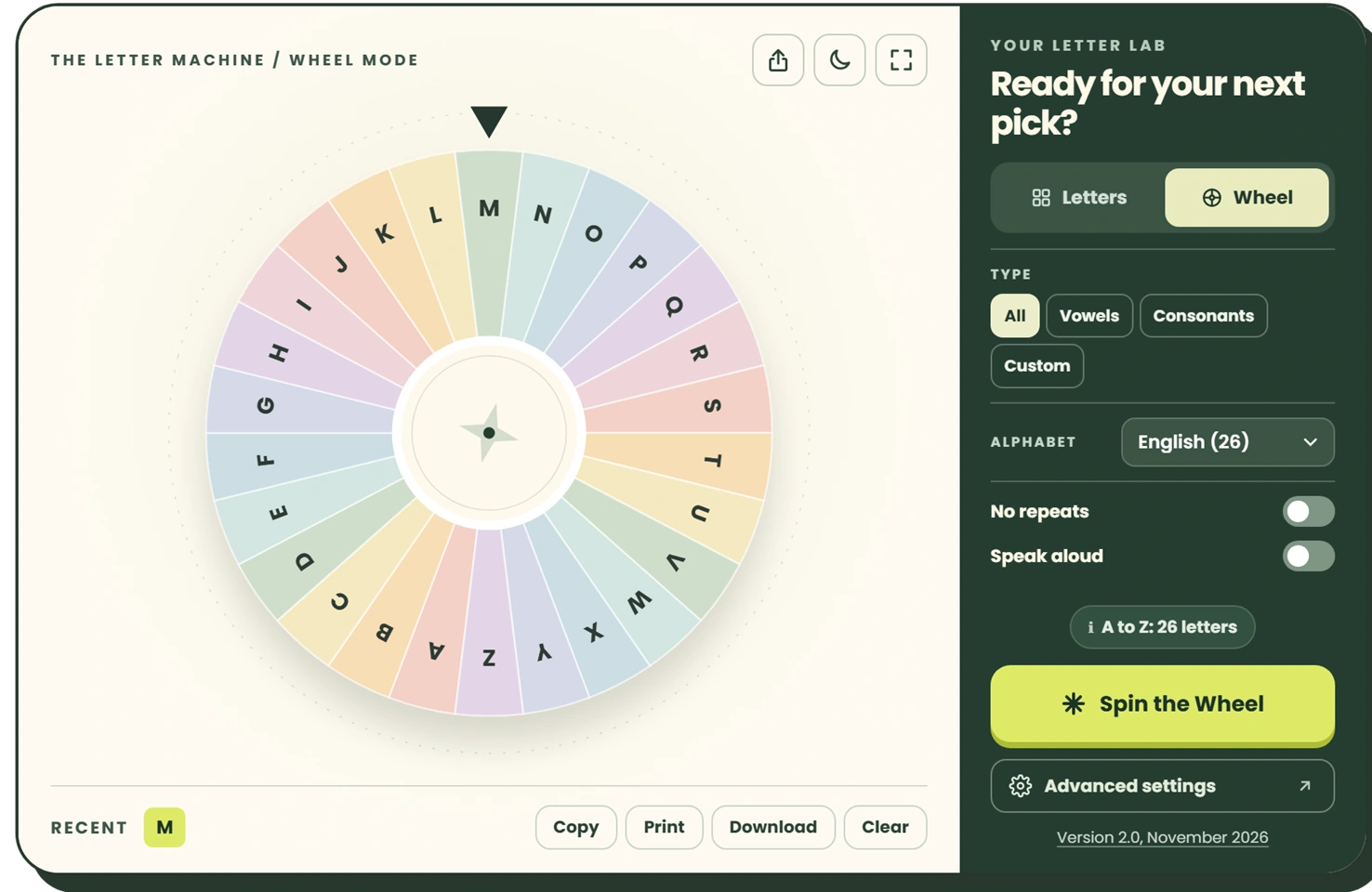
Tap Spin the Wheel. The wheel turns, slows down and stops with a letter under the pointer, and that letter appears large over the wheel for a few seconds.
- Spin: tap the button, or press Enter or Space when it has keyboard focus.
- Read the result: it also goes into the Recent row, so you can look back at earlier spins.
- Change the wheel: use the letter lab for the letter type, alphabet and no repeats, and Advanced settings for letters to leave out.
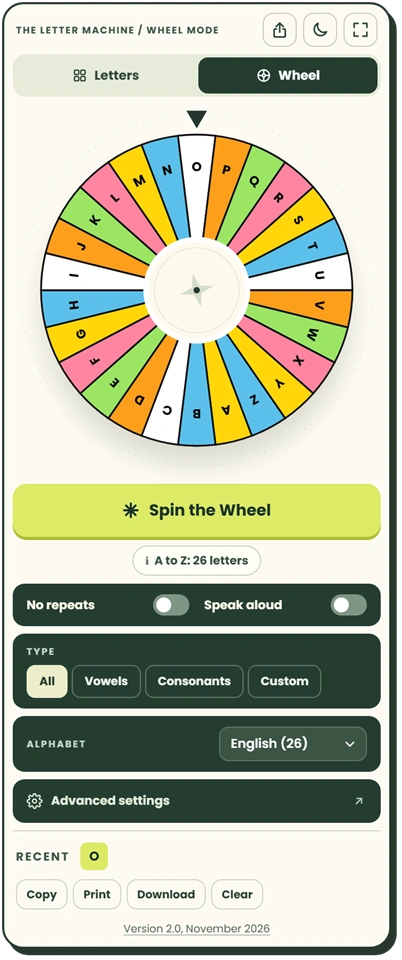
- Change the spin: in Advanced settings, set the spin time from 0.5 to 5 seconds, pick a wheel theme (Vibrant, Soft, Minimal or High contrast) and turn confetti on or off.
- Hear it: switch on Speak aloud and the letter is read out after each spin.
Every button and setting is explained, with numbered screenshots, in the full user guide.
04 / Every letter once
How do I spin without getting the same letter twice?
Turn on No repeats in the letter lab (in Advanced settings it is called No repeats until all are used). Every letter you land on drops off the wheel, so the next spin can only stop on a letter that has not come up yet.
The status row tells you how many letters remain, such as “17 of 26 left”. After the last letter, tap Start again to put the full set back. The round stays in place while the browser tab is open, and changing the letter set starts a fresh round.
05 / Your letters
Can I put my own letters on the wheel?
Yes. Set Type to Custom in the letter lab and type the letters you want under Custom letters in Advanced settings, up to 60 of them, in any script. The wheel then shows only those letters.
A few other ways to change what is on the wheel:
- Vowels puts A, E, I, O and U on the wheel; Consonants puts the other 21.
- Exclude letters takes out letters you do not want, for example Q, X and Z.
- Alphabet switches to Spanish, French, German, Italian, Portuguese, Dutch, Greek or Russian.
- Letter case: Lowercase shows small letters on the segments, and Mixed shows both, such as Aa.
A letter typed twice counts once, so each segment is a different letter.
06 / Fair spins
Is a spinning letter wheel really random?
On this wheel, yes, in the sense that matters: every letter on it has the same chance on each spin. The letter is picked first with cryptographically secure random numbers from your browser’s Web Crypto API, and only then does the wheel turn to land on it.
So the speed, the length of the spin and the moment you tap make no difference to the result. The pick behind the wheel is the same one the fairness test checks with 1,000,000 draws per setting; in the test of version 2.0, all 23 settings passed.
07 / In the classroom
How can I use a letter wheel in class?
Put it on the board in full screen and let the class watch it spin. A few ways to use it:
- Review only what you have taught. Make a custom wheel with just the letters covered so far, and add new ones as you go.
- Vowel rounds. Switch to Vowels, spin, and ask for a word that uses that vowel.
- Beat the clock. Spin, start a one-minute timer, and see how many words the class can list that begin with the letter.
- Pick who goes next. Put the first letters of team names on a custom wheel and turn on No repeats, so every team gets a turn before anyone goes twice.
The moon icon switches to night mode. For full games with rules, see random letter games and random letter activities.
08 / Learning with letters
What skills can a letter wheel help with?
The wheel itself only chooses the letter. What children practise depends on the task you pair with it.
The same spin can lead to naming the letter, saying its sound, writing it, or finding a word that starts with it. With another alphabet on the wheel, learners of that language can practise its letters, Greek or Russian for example. Speak reads the letter aloud in that language when the device has a voice for it.
09 / Quick answers
Frequently asked questions
Is the letter wheel free?
Yes. It costs nothing and needs no account.
Can the wheel pick more than one letter at a time?
No, it gives one letter per spin. For several letters at once, use the random letter generator, which draws up to 100 in one tap.
Can I make the wheel spin faster or slower?
Yes. In Advanced settings, set Spin duration anywhere from 0.5 to 5 seconds. If your device is set to reduce motion, the wheel uses a short spin and skips the confetti.
Will the wheel remember my letters?
Yes. This browser keeps your letters and settings for your next visit. To use the same wheel on another device, tap the share icon to copy a link that opens this wheel with your letters and settings; on a phone it opens the share menu instead. Post it on your class page and the same wheel is ready every lesson.
Can I use the wheel with a keyboard or a screen reader?
Yes. Every control works from the keyboard, and each spin’s letter is announced to screen readers when the wheel stops.