
Random Letter Activities for Kids and Classroom Learning
Kids have very short attention spans; therefore, the teachers always try to engage them in an interesting manner. For example, learning the language starts with recognizing the alphabet. The teachers adopt random letter activities as a primary tool for kids to distinguish and remember the alphabet.
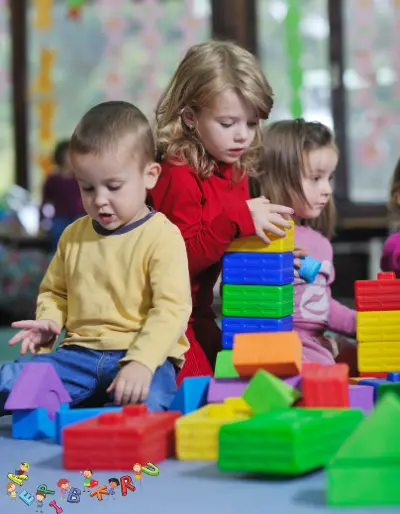
As the kids cannot follow a structured learning method like adults, they are taught through engaging methods such as stories, rhymes, and playing games. To facilitate this, their classroom is equipped with various helpful materials and toys that keep them involved in their classroom activities.
Why Use Letter Activities for Learning?
Kids naturally get bored quickly. Assuming they can remember anything as simple as the alphabet can be an impossible task. On the contrary, the use of letter activities allows them to continue learning without losing interest.
- Improves their memory retention
- Enhances their ability to recognize and differentiate between letters
- Allows them to learn by interacting with peers
- Keeps the kids focused due to their interest and excitement
Simple Random Letter Activities
Here are some interesting learning activities, which can also be used as fun random letter games.
Letter Recognition Activity
In this activity, kids see random alphabet letters that they can identify. When such activities are tied to something interesting, it helps them remember.
Classroom Letter Hunt
An interesting game where the kids mark their alphabet charts by looking around in their class to find an item starting with a particular letter.
Alphabet Matching Activity
Children are shown a random alphabet letter, then they are asked to pick up a similar one from their alphabet toys.
Writing Practice Activity
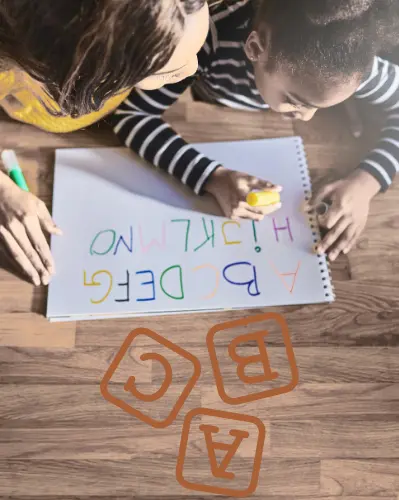
The most common method of writing practice is to give the kid a large printed letter and ask them to trace it several times.
Speaking Activity
The class is shown a random letter, which is announced either by the teacher or the system. Every child is asked to repeat the letter out loud. It helps them learn how each letter sounds as well as the correct pronunciation.
How to Use a Random Letter Generator for Activities
Simple steps:
- Connect the device to the classroom projector or a large screen.
- Choose the Type — for early learners, select Vowels Only to keep things simple.
- Choose the Style — Spinner for speed, Wheel for a visual spinning reveal kids love.
- Enable Speak so kids can hear the correct pronunciation of the selected letter.
- Press the “Generate” button on the Random Letter Generator tool to reveal the letter.
- Ask the child to say the letter aloud, name something starting with it, or write it.
- Use History to track which letters have appeared during the session.
- Repeat for the next child or round.

Best Situations to Carry Out These Activities
This user-friendly tool can facilitate activities at any learning place. For example:
- Classrooms
- Home learning
- Early education
Tips to Make Activities More Effective
The learning activities can be made more interesting and challenging by:
- Set a time limit to grab attention and add a little pressure for the class
- Make them group activities to encourage teamwork
- Use Vowels Only or Consonants Only mode to target specific learning goals
- Enable Speak for pronunciation support so that kids hear and see the letter at the same time
- Use Exclude Letters to remove letters that the class hasn’t learned yet
- A small reward for attentive participation adds motivation