Alphabet ideas for class and home
Random Letter Activities
Eight short activities that turn a random letter into letter practice: names and sounds, finding, matching, writing and first words. Each has an age range, the time it takes and a button that sets up the generator for it.
- Free, no sign-up
- Reads letters aloud
- Use only the letters you have taught
01 / The idea
Why use a random letter for alphabet practice?
A random letter shows whether a child knows a letter on its own, not just its place in the ABC song. Children cannot guess what comes next, so each letter has to be recognised fresh.
The generator also keeps practice fair in a group: with No repeats on, every letter comes up once before any letter comes back.
02 / Ages 3 to 6
Say It: name the letter and its sound
Show a letter on the screen. The child says its name, then its sound. Turn on Speak aloud so the tool says the letter name too.
Ages 3 to 6. 5 minutes. A screen everyone can see.
- Spin the wheel or draw one letter.
- Ask: “What is this letter called?” Then: “What sound does it make?”
- Ask for a word that starts with that sound. Draw the next letter.
Use Full screen on a classroom board so the letter is big enough for the back row. Full screen is not offered on iPhone and iPad.
03 / Ages 3 to 7
Letter Hunt: find something that starts with it
Draw a letter, and children look around the room, the home or the garden for something whose name starts with it. They bring it back or point to it and say the word.
Ages 3 to 7. 10 minutes. Things to find around you.
- Draw one letter and say its sound together.
- Children hunt for something that starts with that sound. Set a 1 minute timer to add a little race.
- Each child says the name of what they found. Talk about any that start with a different letter.
- Draw a new letter for the next round.
04 / Ages 3 to 6, outdoors
Letter Hop: jump to the letter
Write letters in chalk on the ground. Draw a letter on a phone and call it out, and the child hops or jumps onto the matching chalk letter.
Ages 3 to 6. 10 minutes. Chalk and a paved space, or letter cards on the floor indoors.
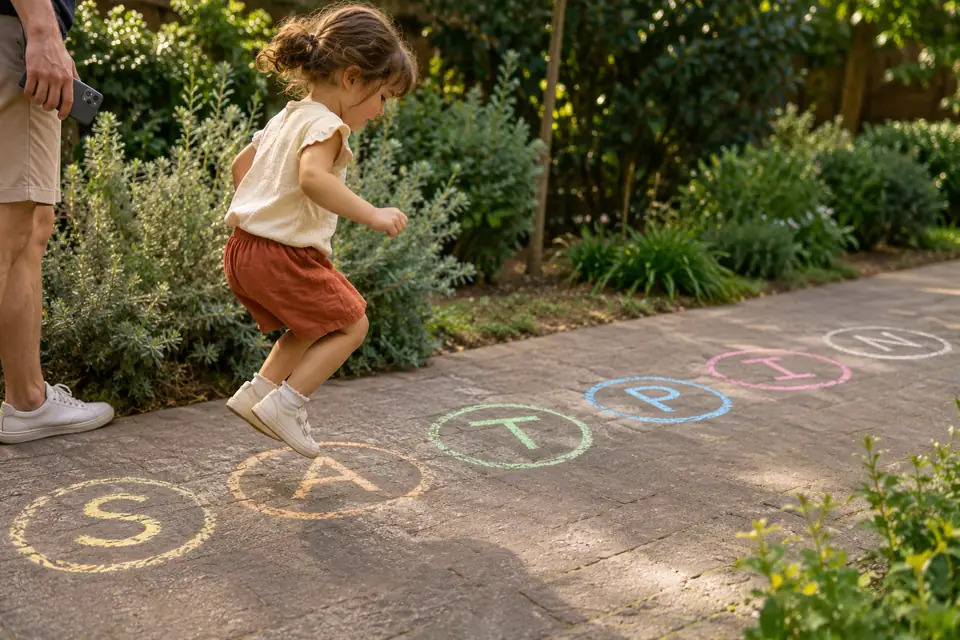
- Write 6 to 10 letters in chalk, well apart.
- Set Type to Custom and type the same letters, so the tool only calls letters that are on the ground.
- Call out each letter drawn. The child hops to it and says its sound.
05 / Ages 4 to 6
Big and Small: match lowercase to capitals
Show a lowercase letter. The child finds the matching capital among letter magnets, cards or a printed alphabet, then says the letter’s name.
Ages 4 to 6. 5 to 10 minutes. Capital letter magnets, cards or an alphabet chart.
- Set Letter case to lowercase in Advanced settings.
- Draw one letter. The child finds the capital that matches.
- Swap it round: set the case back to capitals and look for the lowercase card.
06 / Ages 4 to 7
Write It: handwriting practice with random letters
Draw a few letters and children write each one three times, on paper, a whiteboard or in a tray of sand. Random letters mean they practise the shapes they find harder, not only the first letters of the alphabet.
Ages 4 to 7. 10 minutes. Paper, a whiteboard or a sand tray.
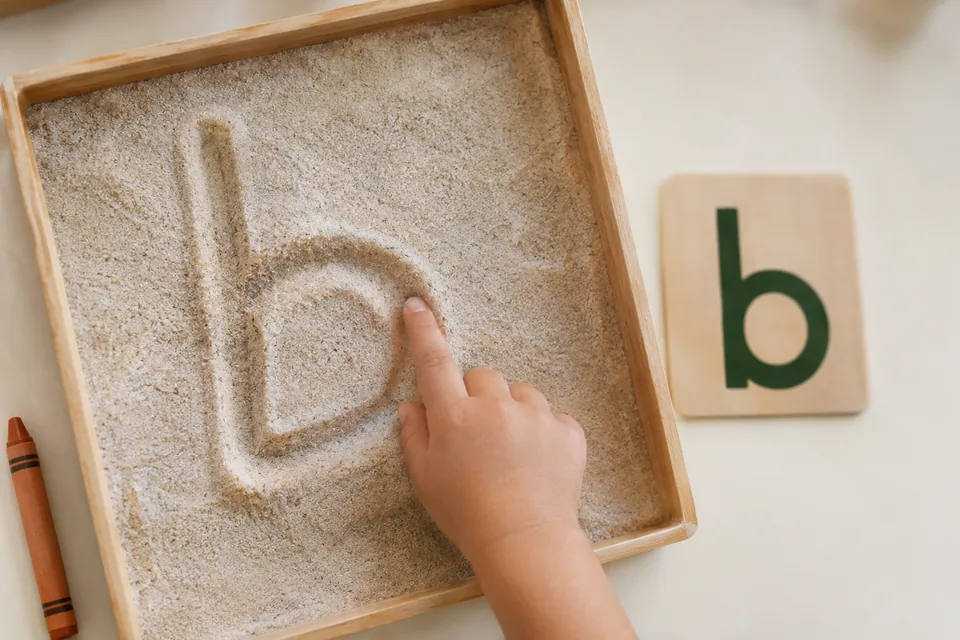
- Draw 5 letters in Letters mode.
- Children write each letter three times, saying its sound as they write.
- Need a sheet for later? Draw 10 or more letters and press Print: the print page shows only the letters.
07 / Ages 5 to 7
First Words: build a three letter word
Draw a consonant, a vowel and another consonant, then read the letters together as one word, such as “c, a, t”. If it is not a real word, read it anyway as a silly word, then change one letter to make a real one.
Ages 5 to 7. 10 minutes. Paper or a whiteboard.
- Draw 1 consonant (Type: Consonants), then 1 vowel (Type: Vowels), then 1 more consonant.
- Write the three letters in a row and say each sound.
- Blend the sounds into one word. Real word or silly word?
- Change one letter to make a real word, and write it down.
08 / Ages 5 to 8
ABC Order: put the letters in line
Draw five different letters. Children write them in alphabetical order, then check with an alphabet chart.
Ages 5 to 8. 5 minutes. Paper or letter cards.
- Draw 5 letters with Unique in set on, so none appears twice.
- Children put them in ABC order.
- Make it harder with 8 letters, or race in pairs.
09 / ESL and language learners
Word Round: vocabulary practice for language learners
Draw a letter and a topic, and learners name as many words in the new language as they can. For Spanish, French, German, Italian, Portuguese, Dutch, Greek or Russian, switch the alphabet so the letters match the language.
Ages 7 and up, any level. 5 to 10 minutes. Paper or a whiteboard.
- Choose a topic the class is learning, such as food, clothes or the classroom.
- Draw a letter. Speak aloud reads it in the chosen language when the device has a voice for it.
- Learners write or say as many topic words as they can in 1 minute.
- Share answers and check spelling together.
10 / For teachers and parents
How do you use the generator with a class?
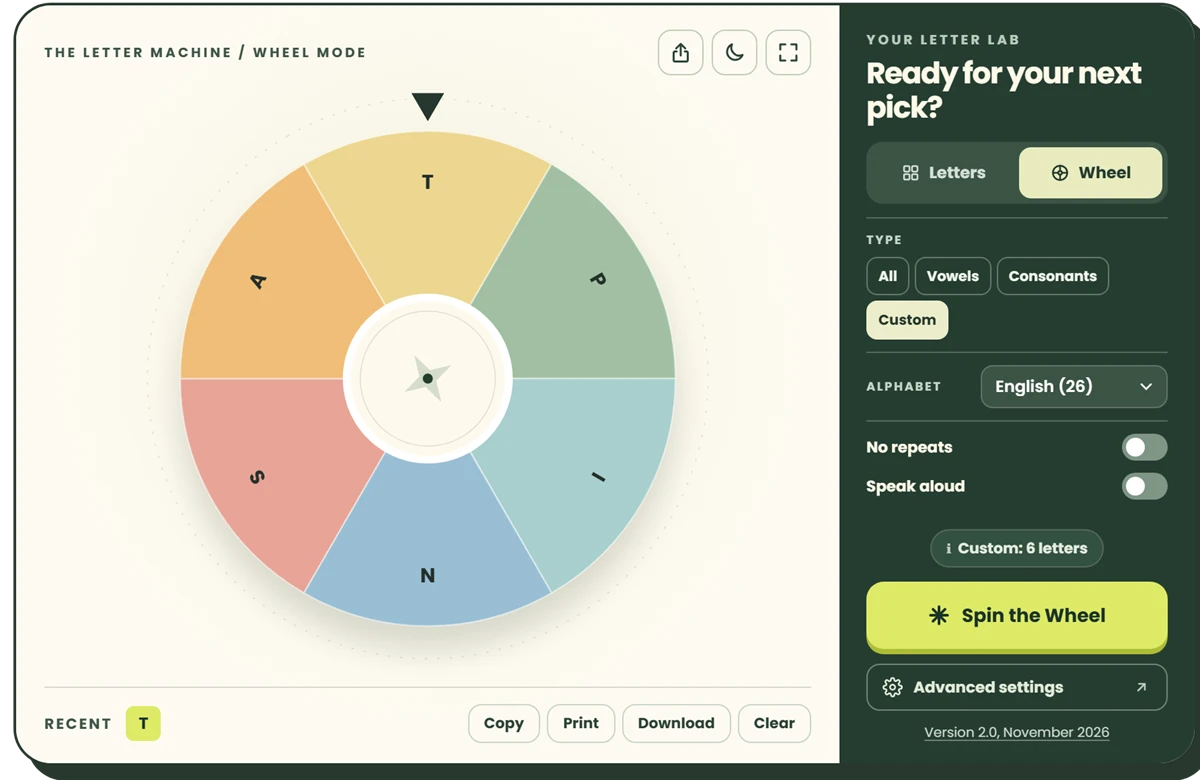
Put it on the board in Full screen, turn on Speak aloud and No repeats, and remove any letters the class has not learned yet. Then each child can take a turn and every letter gets its moment.
Only taught letters
Set Type to Custom and type the letters you have covered, or add the rest under Exclude letters.
No repeats
Each letter once per round; the tool shows how many are left.
Speak aloud
Reads each letter with the device’s own voices.
Night mode
Dark colours for a bright room or a projector.
Share link
Send the same settings to a co-teacher or to parents for home practice.
Every button and setting is explained, with numbered screenshots, in the full user guide.
More classroom ideas, such as Letter of the Day, Boggle and Hangman rounds, are in my free Wakelet collection: 10 Free Random Letter Activities for the Classroom (opens in a new tab).
11 / Quick answers
Frequently asked questions
What age are these activities for?
Most suit children aged 3 to 7 who are learning letter names and sounds. ABC Order and Word Round also work for older children and for language learners of any age.
How do I use only the letters my class has learned?
Set Type to Custom and type those letters, up to 60, or keep Type on All and add the letters you have not taught under Exclude letters in Advanced settings.
Can the tool say the letters out loud?
Yes. Turn on Speak aloud and the device reads each letter, in the chosen alphabet’s language when the device has that voice. Which voices exist depends on the device.
Can I print letters for practice?
Yes. Draw the letters you want, then press Print under the Recent row. The print page shows only the letters, up to the last 100 drawn.
Does the tool collect data about children?
No account or sign-up is needed, and the letters are picked in the browser: they are never sent to the randomletter.io server or to Google Analytics. The site uses Google Analytics to count visits, as the privacy policy explains.
Pick a letter and start.